Kyiv (Ukraine) Subway 2.2



700
7
700
7
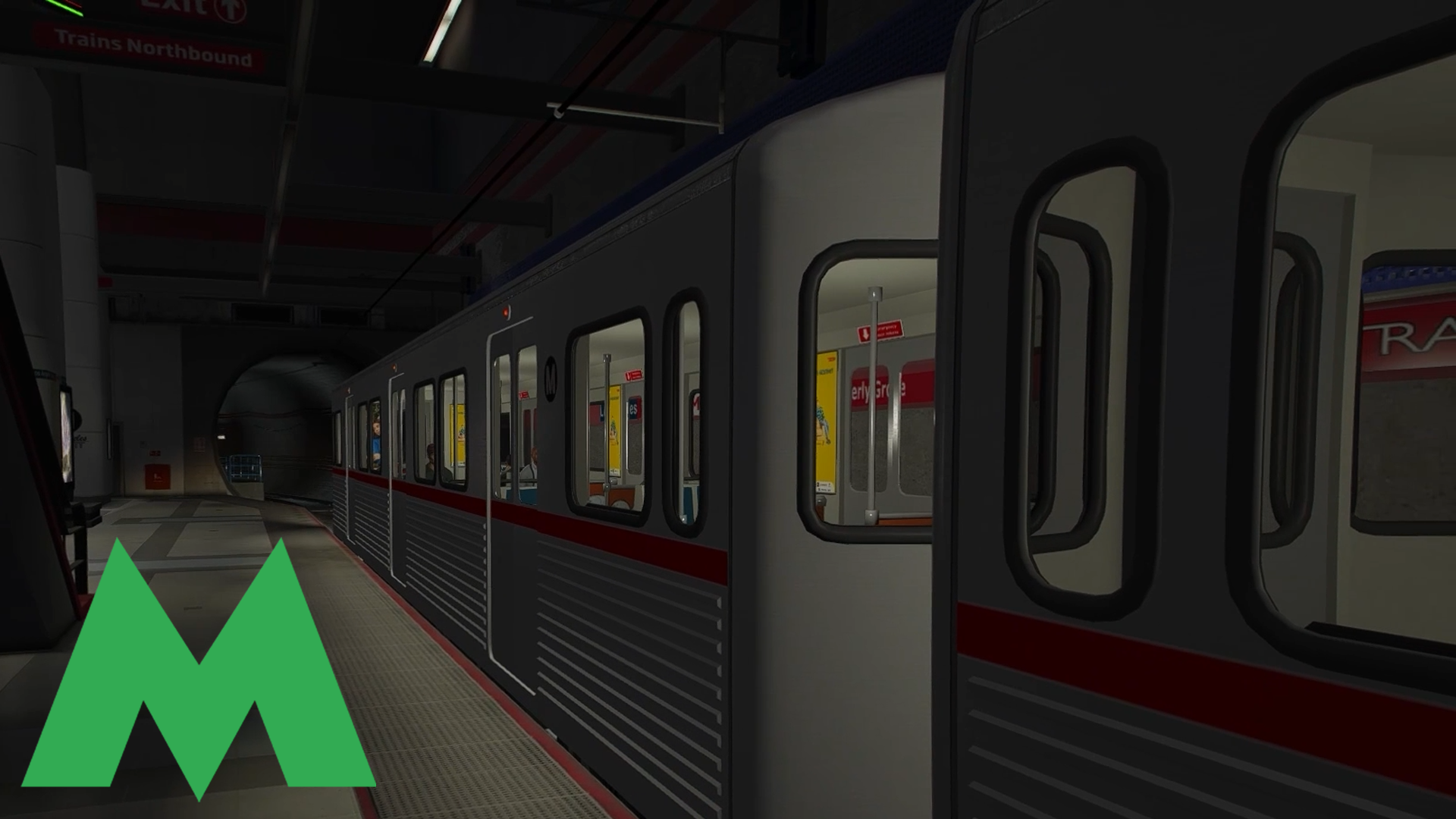
This modification adds the Kyiv Metro announcer to GTA 5 and replaces the standard announcements in the Los Santos subway with the sounds of the Kyiv Metro announcements.
INSTALLATION:
WARNING!
You must install these requirements first:
- ScriptHookV
- ScriptHookVDotNet
To install this modification, you will also need the OpenIV program.
PS: For your convenience, I have included the OpenIV installation package in this archive.
Before starting, make sure to create a backup of any files you plan to replace.
1. Copy the contents of the "scripts" folder into the "scripts" folder located in the root directory of the game.
2. Run the OpenIV.
3. Go to: mods\x64\audio\sfx\ONESHOT-AMBIENCE.rpf
4. Add the file subway-announcer.awc.
5. Go to: mods\x64\audio\sfx\RESIDENT.rpf
6. Add the file vehicles.awc.
OR, if you have previously modified sounds in this file (for example, installed a realistic siren sounds mod):
- Export the vehicles.awc file in openFormats (.oac) format.
- Choose a save location (for example, the "Downloads" folder).
- Copy the SUBWAY-DOORS-CLOSE.wav file from our archive into the vehicles folder.
- In OpenIV, select "Create" and "Import openFormats".
- Choose the vehicles.oac file.
- Note: This must be the file you exported, not the file from our archive.
ADDITIONAL:
By default, the announcer sound includes announcements from all Kyiv Metro lines.
If you prefer, you can install the sound of only one specific line:
In the "Information announcer sound options" folder, the following options are available:
- M1 (Red Line)
- M2 (Blue Line)
- M3 (Green Line)
Choose the desired option and copy all files into the subway folder (inside the scripts folder).
CHANGELOG:
Update 2.2
This update fundamentally changes the perception of the announcer's sound, making it maximally realistic and thoughtfully designed.
Physics and Realism:
Volumetric sound source: the script now calculates sound along the entire length of the train, not just from the front. You can be in the last carriage and the volume will remain consistent.
Realistic attenuation: linear attenuation has been replaced with a physically accurate curve. The sound naturally dissipates over distance.
Vertical isolation (Z-Axis): the sound no longer "bleeds" through textures. If you are inside a building interior, high above the station, or deep underground (outside the metro area), the announcement will not be audible.
Occlusion (Obstacles): a Raycasting system has been added. Walls and columns now realistically dampen the sound if you are standing behind them.
Interaction and Immersion:
Cabin isolation: if you are inside a closed vehicle (in first-person view) near a station, the sound from a nearby train announcer will be muffled. On motorcycles, bicycles, convertibles, etc., the sound remains loud.
Technical Changes:
Chase mode: improved logic for tunnels and when moving parallel to the train.
Train detection has been optimized to reduce CPU load.
Overall script stability has been improved.
Additionally: if you already have version 2.1 or 2.0 installed, update the SubwayAnnouncer.dll file to the new version from version 2.2.
Update 2.1
Fixed a critical bug: the script no longer crashes if you enter a car or any other vehicle instead of the subway train.
Additionally: if you already have version 2.0 installed, make sure to update the SubwayAnnouncer.dll file to the new one from version 2.1!
Global Update 2.0
Now the station announcement sound no longer plays randomly or arbitrarily. A fully functional announcer has been created. It identifies the current station and announces it, as well as announcing the next one.
Update 1.4:
Removed background noise in the announcement "The next station is Obolon".
Update 1.3:
1. Added the announcement sound for Ploshcha Ukrainskykh Heroiv station.
2. Removed the squealing sound in the announcement for the next Obolon station.
Update 1.2:
Removed the announcement for the Lybidska station due to the completion of restoration works on the blue line of the Kyiv metro.
Update 1.1:
1. Added air alert sound.
2. Replaced the door-closing sound with a new one.
INSTALLATION:
WARNING!
You must install these requirements first:
- ScriptHookV
- ScriptHookVDotNet
To install this modification, you will also need the OpenIV program.
PS: For your convenience, I have included the OpenIV installation package in this archive.
Before starting, make sure to create a backup of any files you plan to replace.
1. Copy the contents of the "scripts" folder into the "scripts" folder located in the root directory of the game.
2. Run the OpenIV.
3. Go to: mods\x64\audio\sfx\ONESHOT-AMBIENCE.rpf
4. Add the file subway-announcer.awc.
5. Go to: mods\x64\audio\sfx\RESIDENT.rpf
6. Add the file vehicles.awc.
OR, if you have previously modified sounds in this file (for example, installed a realistic siren sounds mod):
- Export the vehicles.awc file in openFormats (.oac) format.
- Choose a save location (for example, the "Downloads" folder).
- Copy the SUBWAY-DOORS-CLOSE.wav file from our archive into the vehicles folder.
- In OpenIV, select "Create" and "Import openFormats".
- Choose the vehicles.oac file.
- Note: This must be the file you exported, not the file from our archive.
ADDITIONAL:
By default, the announcer sound includes announcements from all Kyiv Metro lines.
If you prefer, you can install the sound of only one specific line:
In the "Information announcer sound options" folder, the following options are available:
- M1 (Red Line)
- M2 (Blue Line)
- M3 (Green Line)
Choose the desired option and copy all files into the subway folder (inside the scripts folder).
CHANGELOG:
Update 2.2
This update fundamentally changes the perception of the announcer's sound, making it maximally realistic and thoughtfully designed.
Physics and Realism:
Volumetric sound source: the script now calculates sound along the entire length of the train, not just from the front. You can be in the last carriage and the volume will remain consistent.
Realistic attenuation: linear attenuation has been replaced with a physically accurate curve. The sound naturally dissipates over distance.
Vertical isolation (Z-Axis): the sound no longer "bleeds" through textures. If you are inside a building interior, high above the station, or deep underground (outside the metro area), the announcement will not be audible.
Occlusion (Obstacles): a Raycasting system has been added. Walls and columns now realistically dampen the sound if you are standing behind them.
Interaction and Immersion:
Cabin isolation: if you are inside a closed vehicle (in first-person view) near a station, the sound from a nearby train announcer will be muffled. On motorcycles, bicycles, convertibles, etc., the sound remains loud.
Technical Changes:
Chase mode: improved logic for tunnels and when moving parallel to the train.
Train detection has been optimized to reduce CPU load.
Overall script stability has been improved.
Additionally: if you already have version 2.1 or 2.0 installed, update the SubwayAnnouncer.dll file to the new version from version 2.2.
Update 2.1
Fixed a critical bug: the script no longer crashes if you enter a car or any other vehicle instead of the subway train.
Additionally: if you already have version 2.0 installed, make sure to update the SubwayAnnouncer.dll file to the new one from version 2.1!
Global Update 2.0
Now the station announcement sound no longer plays randomly or arbitrarily. A fully functional announcer has been created. It identifies the current station and announces it, as well as announcing the next one.
Update 1.4:
Removed background noise in the announcement "The next station is Obolon".
Update 1.3:
1. Added the announcement sound for Ploshcha Ukrainskykh Heroiv station.
2. Removed the squealing sound in the announcement for the next Obolon station.
Update 1.2:
Removed the announcement for the Lybidska station due to the completion of restoration works on the blue line of the Kyiv metro.
Update 1.1:
1. Added air alert sound.
2. Replaced the door-closing sound with a new one.
Dodano: kwiecień 13, 2024
Ostatnia aktualizacja: 7 dni temu
Last Downloaded: 19 hours ago
All Versions
2 Komentarzy
More mods by RANUNIK:

- Dźwięk
204
11
1.0
By RANUNIK
This modification adds the Kyiv Metro announcer to GTA 5 and replaces the standard announcements in the Los Santos subway with the sounds of the Kyiv Metro announcements.
INSTALLATION:
WARNING!
You must install these requirements first:
- ScriptHookV
- ScriptHookVDotNet
To install this modification, you will also need the OpenIV program.
PS: For your convenience, I have included the OpenIV installation package in this archive.
Before starting, make sure to create a backup of any files you plan to replace.
1. Copy the contents of the "scripts" folder into the "scripts" folder located in the root directory of the game.
2. Run the OpenIV.
3. Go to: mods\x64\audio\sfx\ONESHOT-AMBIENCE.rpf
4. Add the file subway-announcer.awc.
5. Go to: mods\x64\audio\sfx\RESIDENT.rpf
6. Add the file vehicles.awc.
OR, if you have previously modified sounds in this file (for example, installed a realistic siren sounds mod):
- Export the vehicles.awc file in openFormats (.oac) format.
- Choose a save location (for example, the "Downloads" folder).
- Copy the SUBWAY-DOORS-CLOSE.wav file from our archive into the vehicles folder.
- In OpenIV, select "Create" and "Import openFormats".
- Choose the vehicles.oac file.
- Note: This must be the file you exported, not the file from our archive.
ADDITIONAL:
By default, the announcer sound includes announcements from all Kyiv Metro lines.
If you prefer, you can install the sound of only one specific line:
In the "Information announcer sound options" folder, the following options are available:
- M1 (Red Line)
- M2 (Blue Line)
- M3 (Green Line)
Choose the desired option and copy all files into the subway folder (inside the scripts folder).
CHANGELOG:
Update 2.2
This update fundamentally changes the perception of the announcer's sound, making it maximally realistic and thoughtfully designed.
Physics and Realism:
Volumetric sound source: the script now calculates sound along the entire length of the train, not just from the front. You can be in the last carriage and the volume will remain consistent.
Realistic attenuation: linear attenuation has been replaced with a physically accurate curve. The sound naturally dissipates over distance.
Vertical isolation (Z-Axis): the sound no longer "bleeds" through textures. If you are inside a building interior, high above the station, or deep underground (outside the metro area), the announcement will not be audible.
Occlusion (Obstacles): a Raycasting system has been added. Walls and columns now realistically dampen the sound if you are standing behind them.
Interaction and Immersion:
Cabin isolation: if you are inside a closed vehicle (in first-person view) near a station, the sound from a nearby train announcer will be muffled. On motorcycles, bicycles, convertibles, etc., the sound remains loud.
Technical Changes:
Chase mode: improved logic for tunnels and when moving parallel to the train.
Train detection has been optimized to reduce CPU load.
Overall script stability has been improved.
Additionally: if you already have version 2.1 or 2.0 installed, update the SubwayAnnouncer.dll file to the new version from version 2.2.
Update 2.1
Fixed a critical bug: the script no longer crashes if you enter a car or any other vehicle instead of the subway train.
Additionally: if you already have version 2.0 installed, make sure to update the SubwayAnnouncer.dll file to the new one from version 2.1!
Global Update 2.0
Now the station announcement sound no longer plays randomly or arbitrarily. A fully functional announcer has been created. It identifies the current station and announces it, as well as announcing the next one.
Update 1.4:
Removed background noise in the announcement "The next station is Obolon".
Update 1.3:
1. Added the announcement sound for Ploshcha Ukrainskykh Heroiv station.
2. Removed the squealing sound in the announcement for the next Obolon station.
Update 1.2:
Removed the announcement for the Lybidska station due to the completion of restoration works on the blue line of the Kyiv metro.
Update 1.1:
1. Added air alert sound.
2. Replaced the door-closing sound with a new one.
INSTALLATION:
WARNING!
You must install these requirements first:
- ScriptHookV
- ScriptHookVDotNet
To install this modification, you will also need the OpenIV program.
PS: For your convenience, I have included the OpenIV installation package in this archive.
Before starting, make sure to create a backup of any files you plan to replace.
1. Copy the contents of the "scripts" folder into the "scripts" folder located in the root directory of the game.
2. Run the OpenIV.
3. Go to: mods\x64\audio\sfx\ONESHOT-AMBIENCE.rpf
4. Add the file subway-announcer.awc.
5. Go to: mods\x64\audio\sfx\RESIDENT.rpf
6. Add the file vehicles.awc.
OR, if you have previously modified sounds in this file (for example, installed a realistic siren sounds mod):
- Export the vehicles.awc file in openFormats (.oac) format.
- Choose a save location (for example, the "Downloads" folder).
- Copy the SUBWAY-DOORS-CLOSE.wav file from our archive into the vehicles folder.
- In OpenIV, select "Create" and "Import openFormats".
- Choose the vehicles.oac file.
- Note: This must be the file you exported, not the file from our archive.
ADDITIONAL:
By default, the announcer sound includes announcements from all Kyiv Metro lines.
If you prefer, you can install the sound of only one specific line:
In the "Information announcer sound options" folder, the following options are available:
- M1 (Red Line)
- M2 (Blue Line)
- M3 (Green Line)
Choose the desired option and copy all files into the subway folder (inside the scripts folder).
CHANGELOG:
Update 2.2
This update fundamentally changes the perception of the announcer's sound, making it maximally realistic and thoughtfully designed.
Physics and Realism:
Volumetric sound source: the script now calculates sound along the entire length of the train, not just from the front. You can be in the last carriage and the volume will remain consistent.
Realistic attenuation: linear attenuation has been replaced with a physically accurate curve. The sound naturally dissipates over distance.
Vertical isolation (Z-Axis): the sound no longer "bleeds" through textures. If you are inside a building interior, high above the station, or deep underground (outside the metro area), the announcement will not be audible.
Occlusion (Obstacles): a Raycasting system has been added. Walls and columns now realistically dampen the sound if you are standing behind them.
Interaction and Immersion:
Cabin isolation: if you are inside a closed vehicle (in first-person view) near a station, the sound from a nearby train announcer will be muffled. On motorcycles, bicycles, convertibles, etc., the sound remains loud.
Technical Changes:
Chase mode: improved logic for tunnels and when moving parallel to the train.
Train detection has been optimized to reduce CPU load.
Overall script stability has been improved.
Additionally: if you already have version 2.1 or 2.0 installed, update the SubwayAnnouncer.dll file to the new version from version 2.2.
Update 2.1
Fixed a critical bug: the script no longer crashes if you enter a car or any other vehicle instead of the subway train.
Additionally: if you already have version 2.0 installed, make sure to update the SubwayAnnouncer.dll file to the new one from version 2.1!
Global Update 2.0
Now the station announcement sound no longer plays randomly or arbitrarily. A fully functional announcer has been created. It identifies the current station and announces it, as well as announcing the next one.
Update 1.4:
Removed background noise in the announcement "The next station is Obolon".
Update 1.3:
1. Added the announcement sound for Ploshcha Ukrainskykh Heroiv station.
2. Removed the squealing sound in the announcement for the next Obolon station.
Update 1.2:
Removed the announcement for the Lybidska station due to the completion of restoration works on the blue line of the Kyiv metro.
Update 1.1:
1. Added air alert sound.
2. Replaced the door-closing sound with a new one.
Dodano: kwiecień 13, 2024
Ostatnia aktualizacja: 7 dni temu
Last Downloaded: 19 hours ago
 5mods on Discord

cant wait to gun every civilian down in there
Ukraine mentioned